Built for iOS & Android

Imported profiles.
Cleaner control.

Griffin Client is a modern connection profile client that helps users import compatible configurations, manage subscriptions, and connect with a focused mobile experience. It is not a VPN seller and does not provide server access by itself.

Use your own profiles iOS & Android design Clear settings and controls

Griffin Client is a connection client. It does not include a VPN subscription and does not operate third-party servers for users.
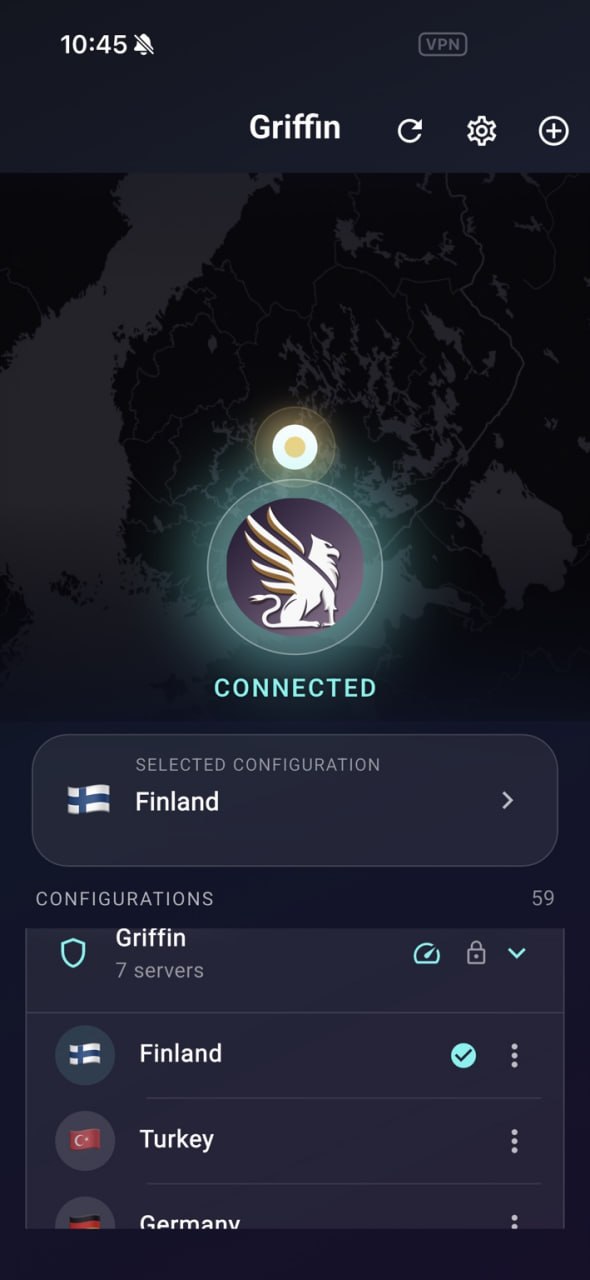
Griffin Client connected screen in dark mode
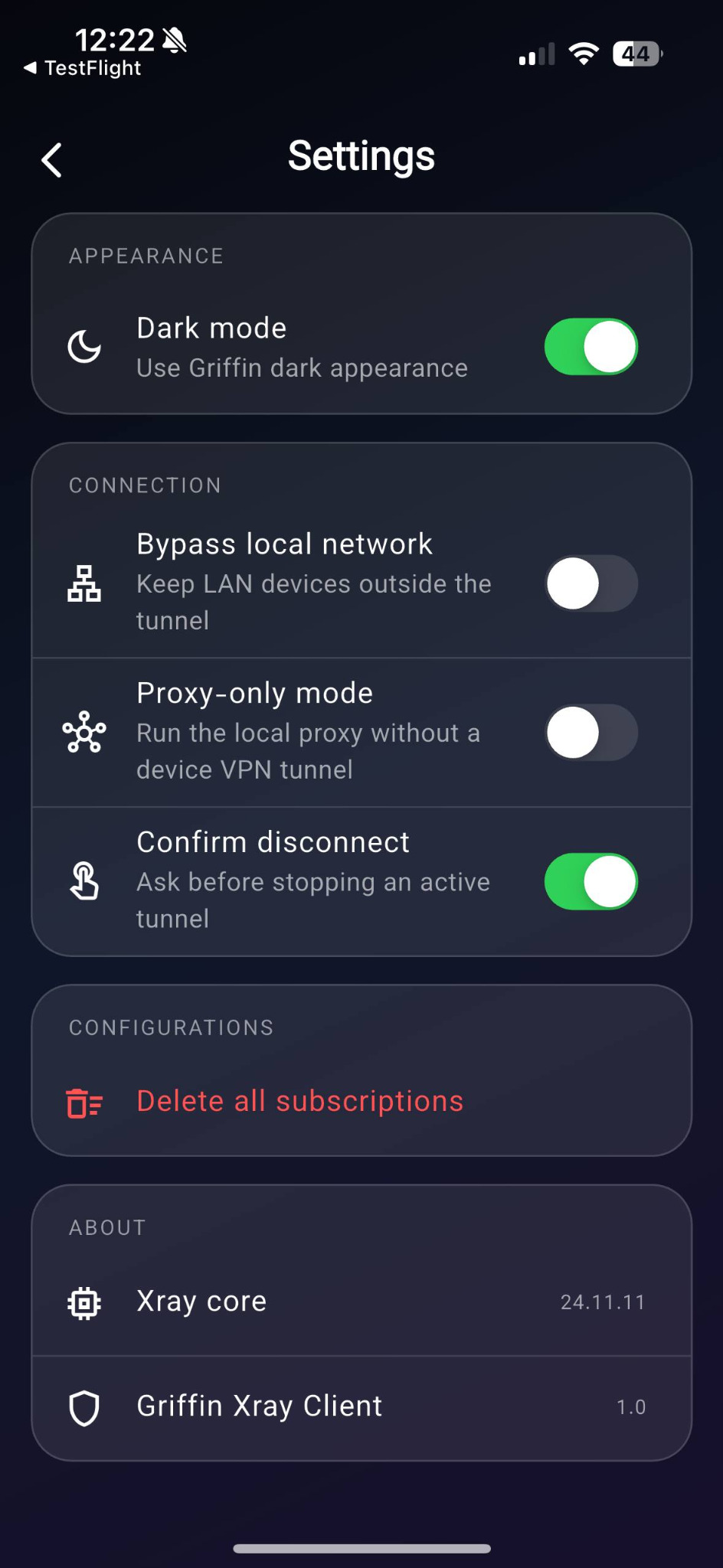
Griffin Client settings screen
Fast setupImport, pick, connect
Real product UIBuilt from the app screenshots
VLESS supportSubscription managementDark modeiOS readyAndroid planned

A polished client.
Built around real usage.

The current Griffin Client experience is designed around configuration import, quick connection, profile selection, and clear connection settings on mobile.

Profile & subscription support

Manage imported configurations and grouped subscriptions in one place with a clean, readable layout.

Practical settings

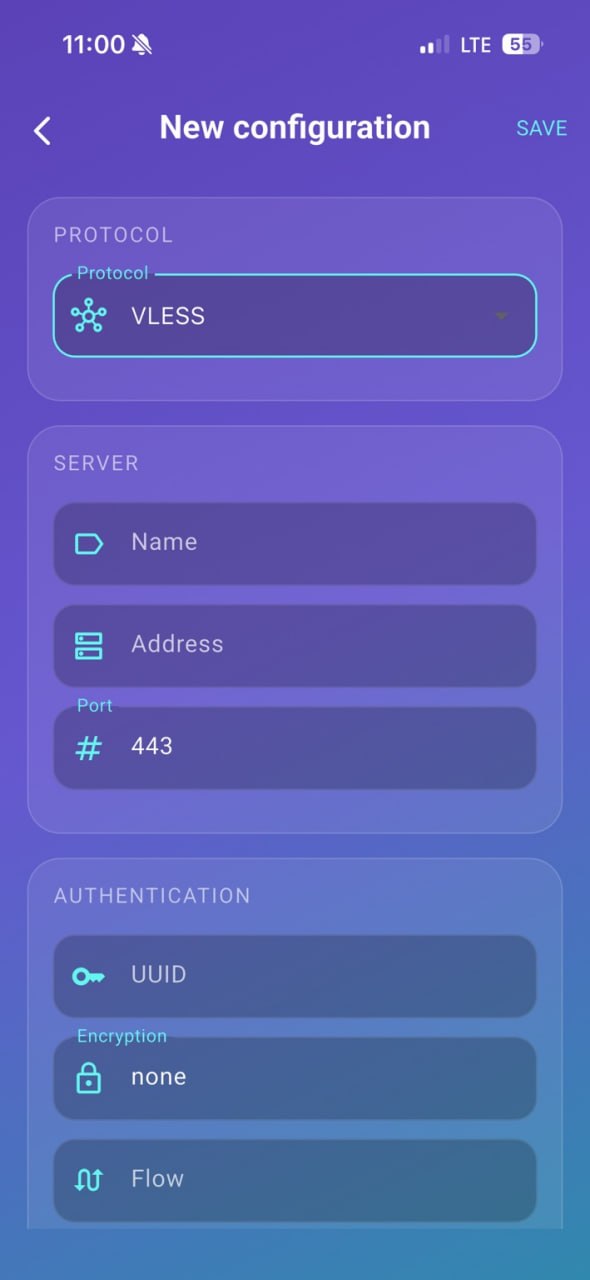
Access useful controls such as dark mode, local network bypass, proxy-only mode, and disconnect confirmation.

Clear connection state

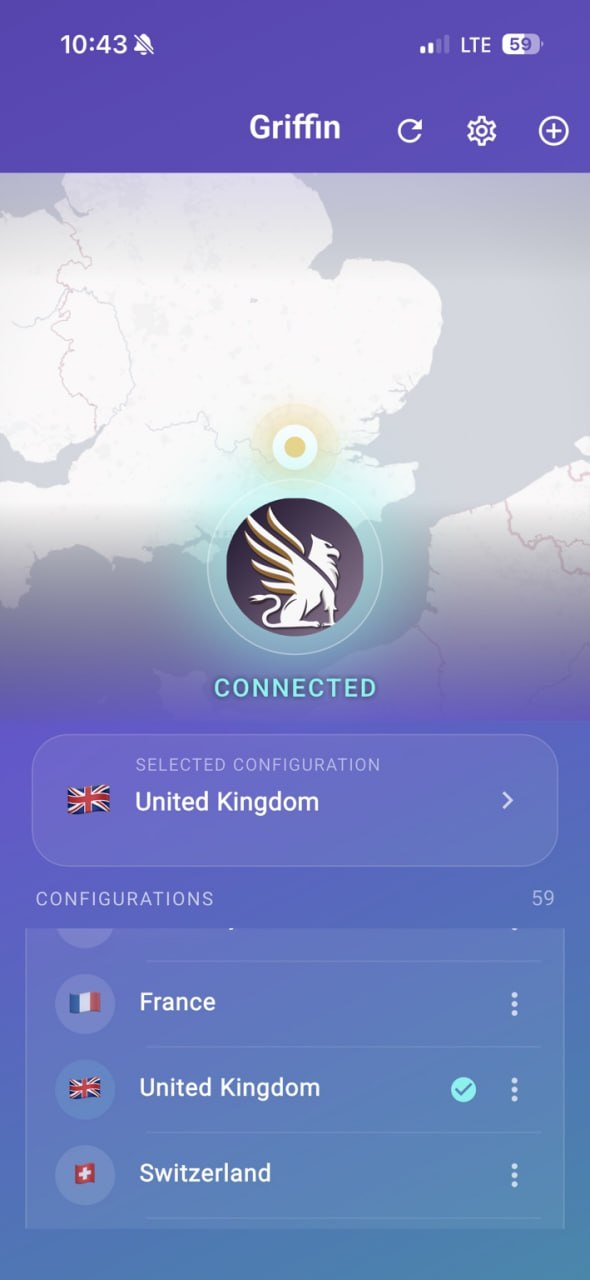
See selected locations, active connection status, and available configurations without unnecessary clutter.

Cross-platform experience

The app is being prepared for iOS and Android with a consistent Griffin look and easy-to-understand flow.

See Griffin Client
in the actual interface.

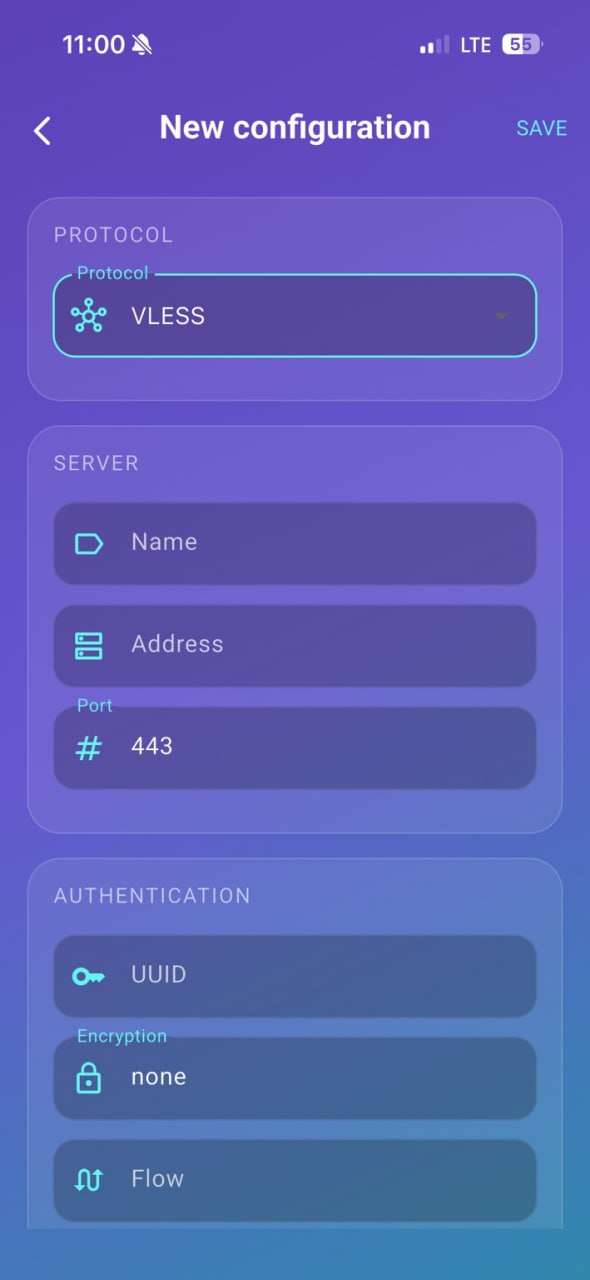
These sections use the real screenshots provided from the current app build, including connection, settings, and new configuration screens.
Simple flow from import to connection.

Griffin Client is meant to stay focused: users bring a compatible configuration, import it into the app, choose a location or profile, then connect using the system VPN framework where required.

1
Import a compatible profileUse your own subscription or provider-supplied configuration.
2
Select a profile or serverChoose from saved configurations and grouped locations.
3
Connect with confidenceMonitor status, adjust settings, and manage subscriptions in one app.
Griffin visual identity from the app itself

Consistent branding.

The logo, app icon, and showcase on this site are based on the existing Griffin Client screenshots you provided, so the landing page stays visually aligned with the product currently under review.

Purple-to-blue app palette
Dark and light visual modes
Structured settings and forms
Client-side connection management

A client—not a VPN store.

Griffin Client is designed to work with imported connection profiles. It does not advertise itself as selling VPN subscriptions or operating a consumer server network. The app focuses on connection management and user-controlled configuration.

No subscription sales on this siteThe product page presents Griffin Client as the software client only.
Your profiles stay under your controlImport, delete, and manage compatible profiles directly from the app.
Clear public policiesReview the Privacy Policy and Terms before installing the app.
Read Privacy Policy

Built for everyday mobile
connection management.

Submitted for review

Griffin Client for iPhone & iPad

The iOS version has been submitted for review. Once available, the App Store link can be placed here directly.

AvailabilityApp Store pending

Update this button with the final App Store product URL after approval.

Coming soon

Griffin Client for Android

The Android version is planned to follow with the same Griffin Client experience for profile import and connection management.

Planned releaseGoogle Play

Know before
you connect.

Need help with a profile or connection? Visit Support or contact our team.

Open Support

No. Griffin Client is a connection client. You import a compatible profile supplied by a provider, organisation, or administrator. Griffin Client does not include a VPN subscription or server access.

Users can import compatible configurations, pick a connection entry or grouped location, manage settings, and connect using the device network framework.

Profiles are supplied by a chosen service provider, business, school, or administrator. Griffin Network Solutions does not promise the availability or performance of third-party configurations.

Like other network clients, Griffin Client needs the standard iOS permission to add a VPN configuration before it can establish a system-level connection.

Yes. The showcase section on this website uses the screenshots provided from the Griffin Client app, and the logo/icon treatment is derived from the app’s current visual identity.

A better mobile experience for
imported connection profiles.

Griffin Client keeps the product story simple: bring your own configuration, manage it clearly, and connect from an interface designed for daily use.